Introduction
This guide provides an overview of the settings available for Titan Hub Communities. Whether you're creating a new community or managing an existing one, use this guide to learn about each settings area and access more detailed guides for configuring your community.
Contents
Members, Roles, and Permissions
Requesting a Titan Hub Community
A Titan Hub Community (formerly called a Group) is a dedicated online space within Titan Hub (Pathify) where student clubs, organizations, and programs can communicate, share resources, promote events, and engage with members.
Titan Hub Communities are intended for student engagement and extracurricular involvement, including:
- Student Government
- Interest-based clubs
- Advising caseloads
- Career and academic communities
- Leadership and mentorship programs
- Community service organizations
- Career-focused groups
- Athletic and recreational groups
To request a new community, submit the Titan Hub Community Request survey.
Note: Communities were previously called Groups. If you see references to "Groups" in older documentation or training materials, they refer to Titan Hub Communities.
Community Settings Guides
Use the guides below to learn about each area of your community settings.
Community Information
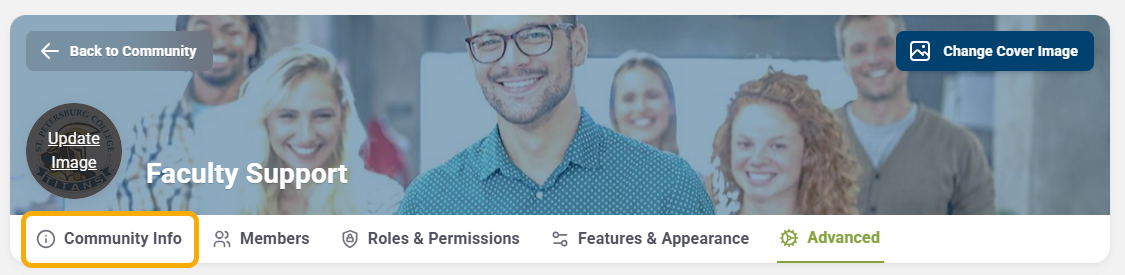
Learn how to configure your community's basic information, including:
- Name
- Category
- Description
- Privacy settings
- URL
- Contact information
- Labels (search keywords)
Guide: Titan Hub Community Settings: Community Information
Members, Roles, and Permissions
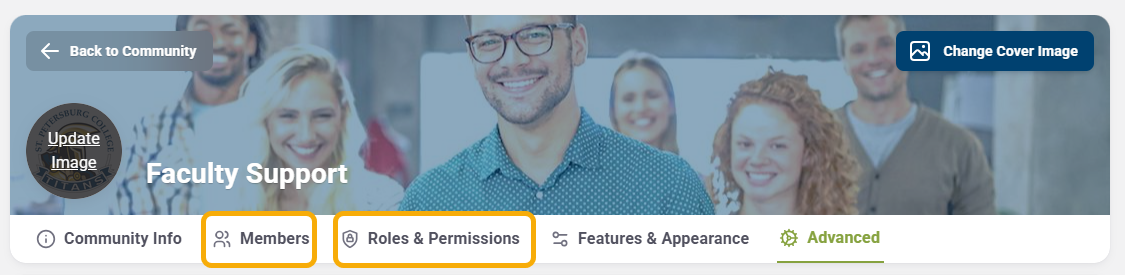
Learn how to manage membership, including:
- Adding members manually
- Importing members with a CSV file
- Auto-enrollment
- Assigning Community Administrators
- Roles and permissions
Guide: Titan Hub Community Settings: Members, Roles, and Permissions
Features and Appearance
Learn how to customize the features available in your community, including:
- Dashboard
- Discussions
- Announcements
- Events
- FAQs
- Resources
- Pages
- Tools
- Tasks
- Forms
- Chats
You'll also learn about important Discussion settings, including:
- Post approval
- Report threshold
- Default landing page
- Call to Action
Guide: Titan Hub Community Settings: Features and Appearance
Advanced Settings
Learn about the advanced configuration options available for your community.
Guide: Titan Hub Community Settings: Advanced Settings
Have Questions? Contact the Academic Technology Support Team
Phone at 727-341-3500
Academic Technology Support Team Hours: (Monday - Friday 8:30 a.m. - 4:30 p.m. EST).
Want to Schedule a One-on-One or Group Session on Canvas or other instructional technology issues or opportunities?
Schedule 1:1 Support Help with a Member of the Academic Technology Support Team
Other Ways to get Help With Canvas!
After-hours or weekend assistance?
Technical Support Center
Phone at 727-791-2795 or Email: onlinehelp@spcollege.edu
(Mon.- Fri. 8:00 a.m. - 10:00 p.m., Sat 8:00 a.m. - 5:00 p.m., Sun 12:00 p.m. - 8:00 p.m. Eastern).
Related to:
Was this article helpful?
Articles in this section
- Navigating Titan Hub - Faculty/Staff Guide
- Titan Hub Guides
- Titan Hub Community Settings
- Titan Hub Community Settings: Community Info
- Titan Hub Community Settings: Members, Roles, and Permissions
- Titan Hub Community Settings: Features and Appearance
- Titan Hub Community Settings: Advanced Settings
- Discover Communities in Titan Hub
- Allow Pop-Ups for Titan Hub in Chrome Browser
- Download the Titan Hub App
Add comment
Article is closed for comments.